


A website redesign checklist helps you figure out what kind of improvements are required for the best outcome. Learn what questions to ask before starting a website redesign or updating your current website.
You may have a website because a few years ago it just made sense. Your competition had them, they’re inexpensive to build, and customers like being able to learn more about your small business before contacting you.
But that was a few years ago.
Now, your website feels outdated, you’re unsure if it’s doing its job, and you’re wondering if you need a website redesign. Maybe you’ve done a little tinkering yourself and it looks odd. Or maybe it still looks OK, but you’re not sure it’s bringing you as much ROI (https://www.investopedia.com/terms/r/returnoninvestment.asp) as it could.
Is it time to bite the bullet and get a website redesign? Or are there just a few areas that could use an update? Let’s dig in to find out.
Signs Your Current Site Is Holding You Back
Here’s a scenario. It’s been a while since you’ve gotten your website designed or updated. In the meantime, your offerings have changed, and your team has added and/or lost members. It’s a little embarrassing to share your website because it doesn’t accurately portray your small business anymore.
This is the scenario when a website redesign makes sense. Here are a few questions to ask to be sure you’re on the same page:
- Can people use it on their mobile? If not, it’s time for a website redesign.
- Does it load quickly? If not, it’s time for a website redesign.
- Can people get an idea of your services and what makes you unique? If not, it’s time for a website redesign.
- Does it get you inquiries? If not, it’s time for a website redesign.
- Does it accurately reflect your business? If not, it’s time for a website redesign.
- Is the design consistent? If not, it’s time for a website redesign.
- Do you want to share it with prospects? If not, it’s time for a website redesign.
If you answered no to any of the above, it’s time for a website redesign. But what about updating your site?
Routine Updates Versus a Full Redesign
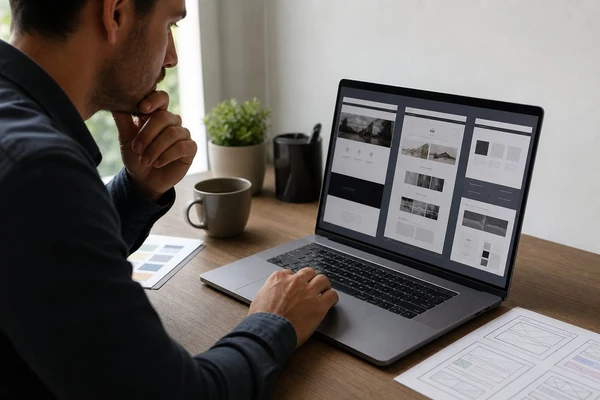
The best websites evolve over time to meet the needs of the user. Sometimes, this means a full-blown website redesign. Working with Studio 47 Web Design can help businesses take a more comprehensive approach when the site needs significant improvements. Other times, it’s a simple update to outdated content, an image that’s missing, a new employee bio, or fixing a contact form that doesn’t work.
If your website still gets you calls and form fills, loads quickly, works on mobile, and the design isn’t shabby, you may be fine. Especially if only one or two elements need attention. In these instances, it may make more sense to do routine updates to your site, which is far less expensive.
When a full-blown website redesign makes more sense is when the above issues overlap. For example, you may not get many calls and form fills, it’s difficult to navigate on mobile, it takes forever to load, and it just plain old looks dated. Trying to fix these issues piecemeal costs more than starting from scratch. Plus, a website redesign allows you to overhaul the experience and design from the ground up to create a cohesive and memorable experience for site visitors.
Start With Customer Questions, Not Visual Preferences
Before diving into colors, themes, or other visual elements, start with what makes sense for the site visitor. What are some of the biggest questions your target market wants answered on your website? For example:
- What services or products does this business offer?
- Who is it for?
- What’s the process? What should I expect?
- What’s my next step?
- Why should I trust you?
Once the site’s pages are prioritized and organized, design each page to lead the visitor to a clear next step. Use language and design to draw attention to the call-to-action (CTA) – visit this site to know more. Each page should have one main CTA, such as scheduling an estimate, learning more, or getting the guide.
Mobile Performance and Launch Protection
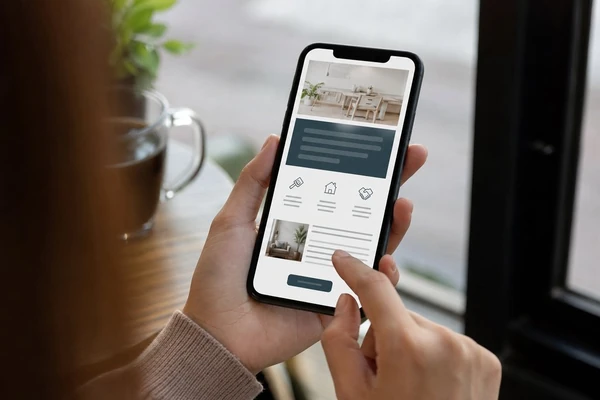
Chances are most of your site visitors are viewing your website via mobile. Build each page with them in mind. This means keeping headers and body copy brief and scannable. Forms should be simple and uncluttered, too. And make sure the call for action is obvious and easy to find on each page, such as a call or contact link.
Another critical mobile-friendly tip? Compress all media to ensure speedy load times.
Protect What Already Works
If you’re getting traffic to your current site, it’s critical to identify those key pages and how people get there. If some of those pages rank well for valuable search phrases, it’s critical to maintain those URLs to protect the rankings they’ve earned over time.
Similarly, it’s helpful to understand where people are contacting you from currently. If they’re calling or completing a form more so on specific pages, make sure you’re bringing those tactics and improvements into your redesigned pages.
Lastly, it’s helpful to take note of current metrics before launching your redesigned site so you have a benchmark. Are you getting calls, form fills, or any other inquiries from your website? Jot down how many so you can compare them after launching.
Before launching, double-check everything works as expected. Call the number, complete forms, and make sure they’re received and confirmations go out. After launching, pay attention to where people are or aren’t visiting and where they’re dropping off, and adjust accordingly.
Need some help figuring out if it’s time for a website redesign or updating your current one? We can help.